Your LLM, Your Rules
GENA doesn't lock you into a single AI provider. Point it at Ollama, vLLM, OpenAI, Anthropic, or any compatible endpoint — local or hosted.
Full control over models, prompts, and where your data goes.
Summarise threads, rewrite drafts, generate content from inline instructions, digest your inbox, auto-tag messages, and search your entire mailbox by meaning — all from inside Thunderbird or Betterbird.
GENA doesn't lock you into a single AI provider. Point it at Ollama, vLLM, OpenAI, Anthropic, or any compatible endpoint — local or hosted.
Full control over models, prompts, and where your data goes.
Email Summary
One click to condense a long email chain into a compact, structured summary. Key requests, current status, actions required, deadlines, and risks — displayed in a popup right inside Thunderbird.
Compose Rewrite
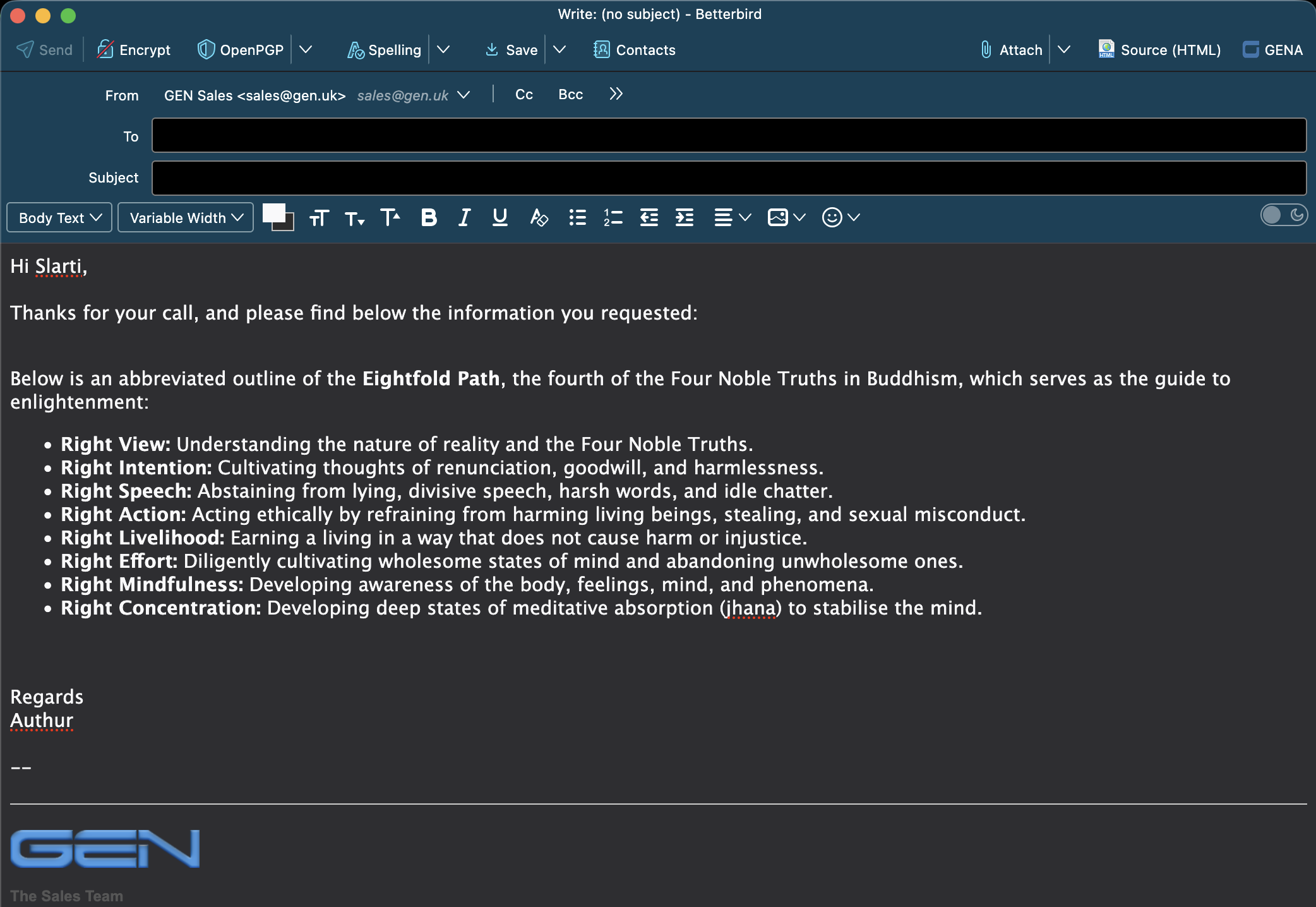
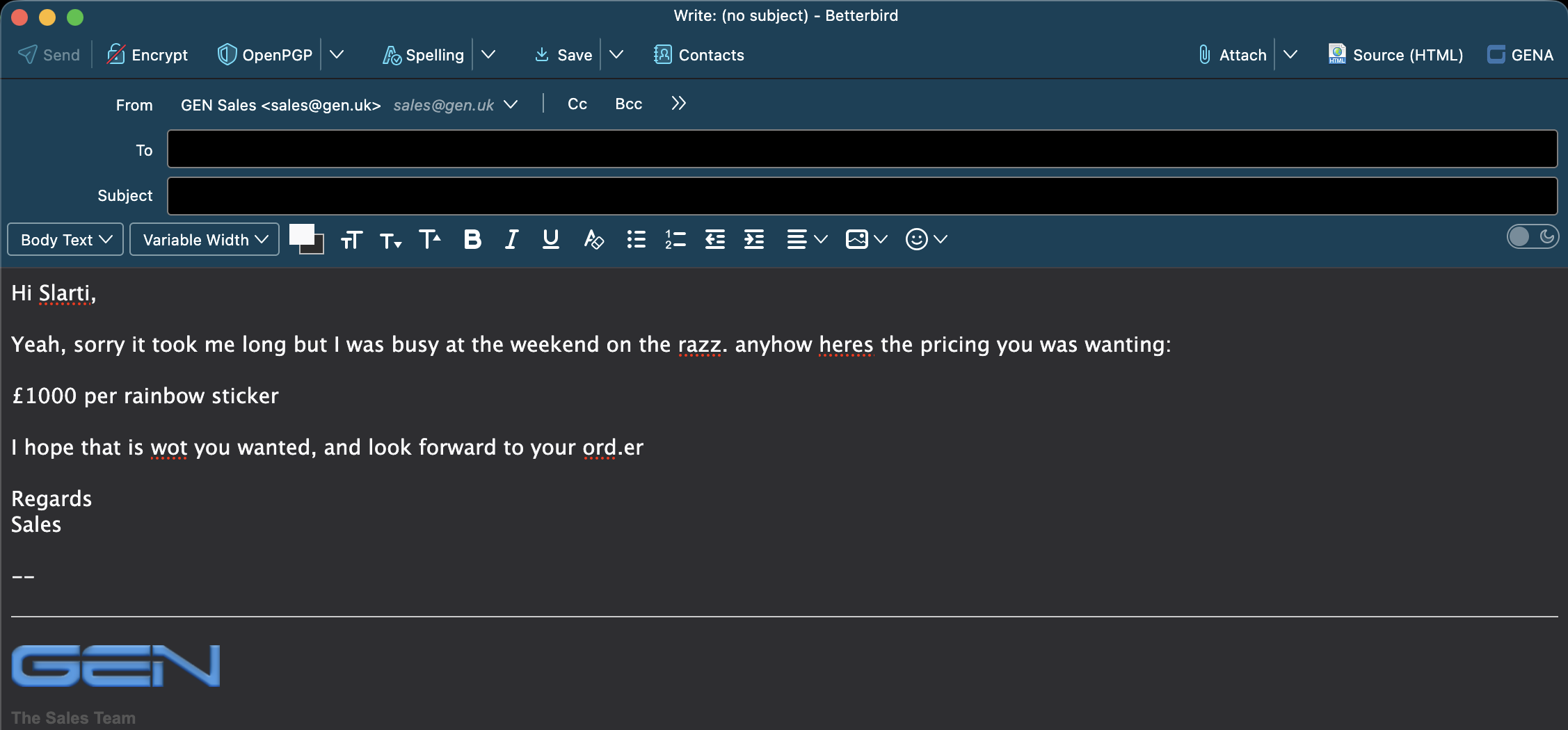
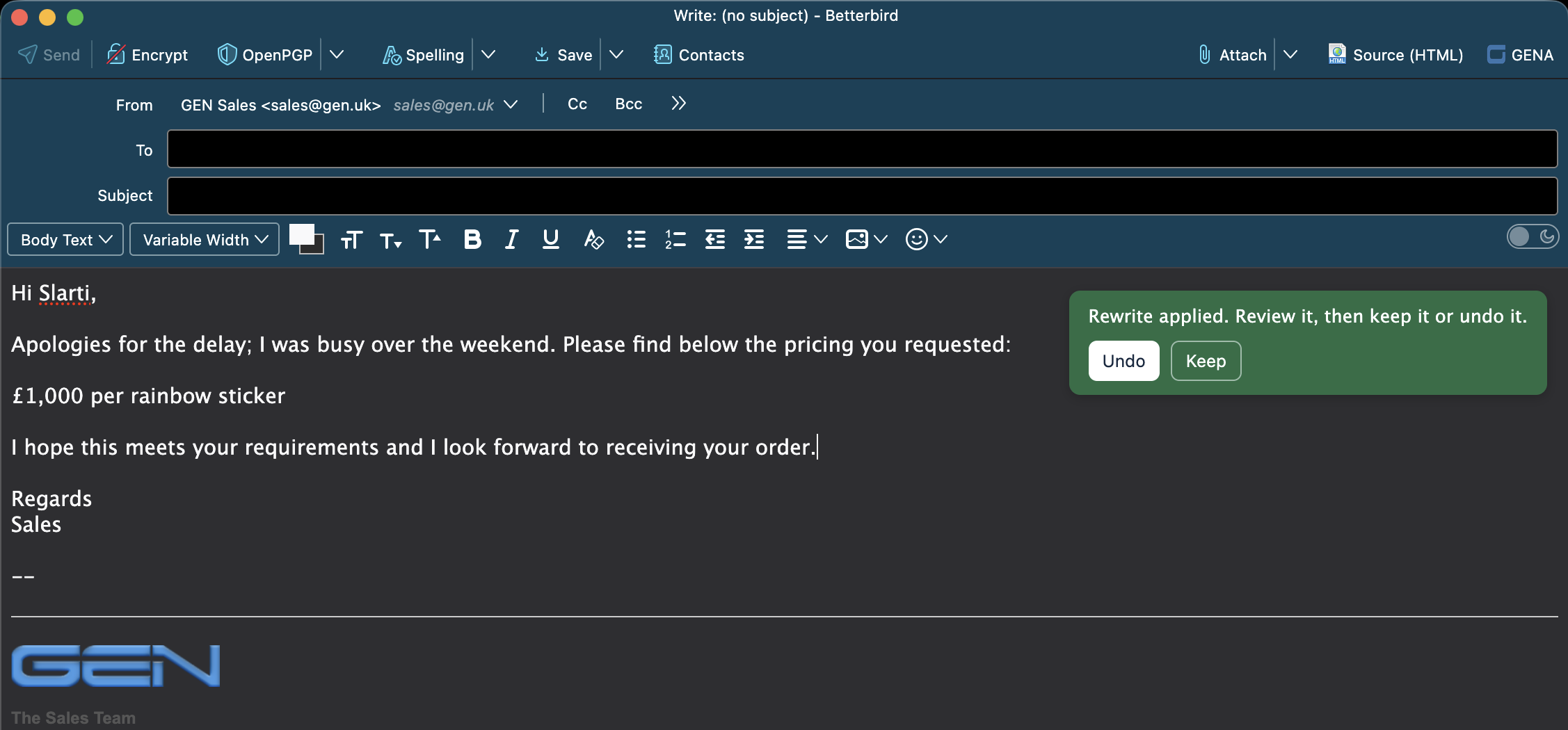
Select text in the compose window and let GENA rewrite it — more professional tone, corrected grammar, cleaner formatting. The original intent and HTML structure are preserved.
Compose Instructions
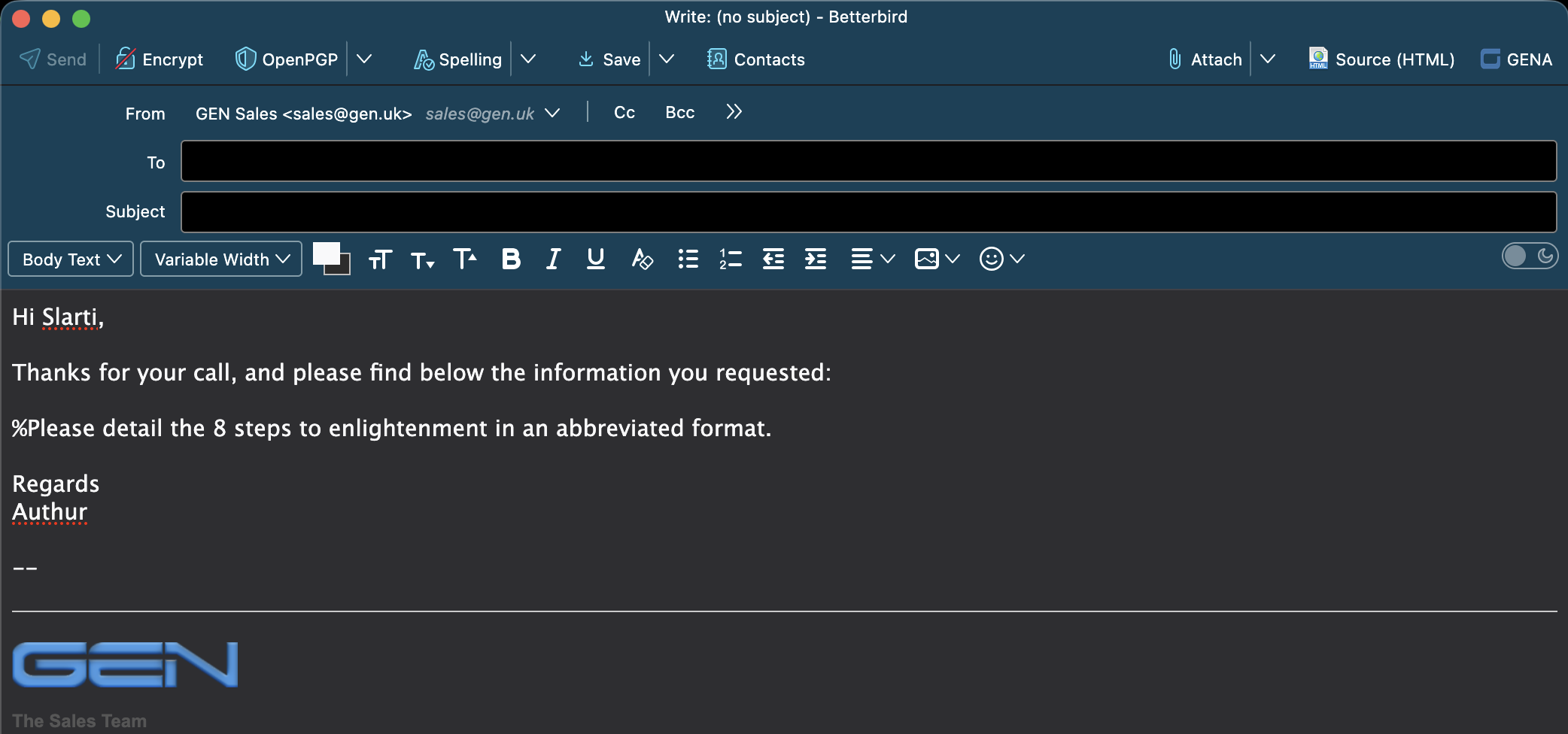
Type lines starting with % as inline instructions. Press the GENA
button and each instruction is replaced with LLM-generated content in place.
Write emails by describing what you want to say.
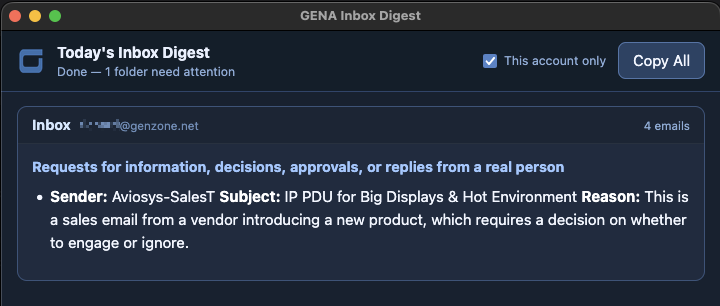
Inbox Digest
Scans one or more inbox folders and produces a digest of emails that actually need your attention. Routine mail and noise are filtered out automatically.
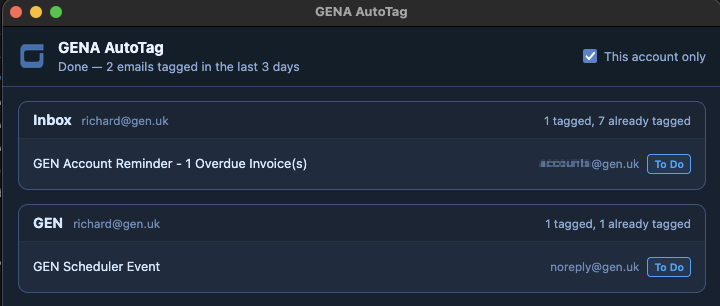
AutoTag
Define tagging rules in plain English. GENA scans recent emails and applies Thunderbird tags based on your criteria. Only your rules are used — the LLM cannot invent tags.
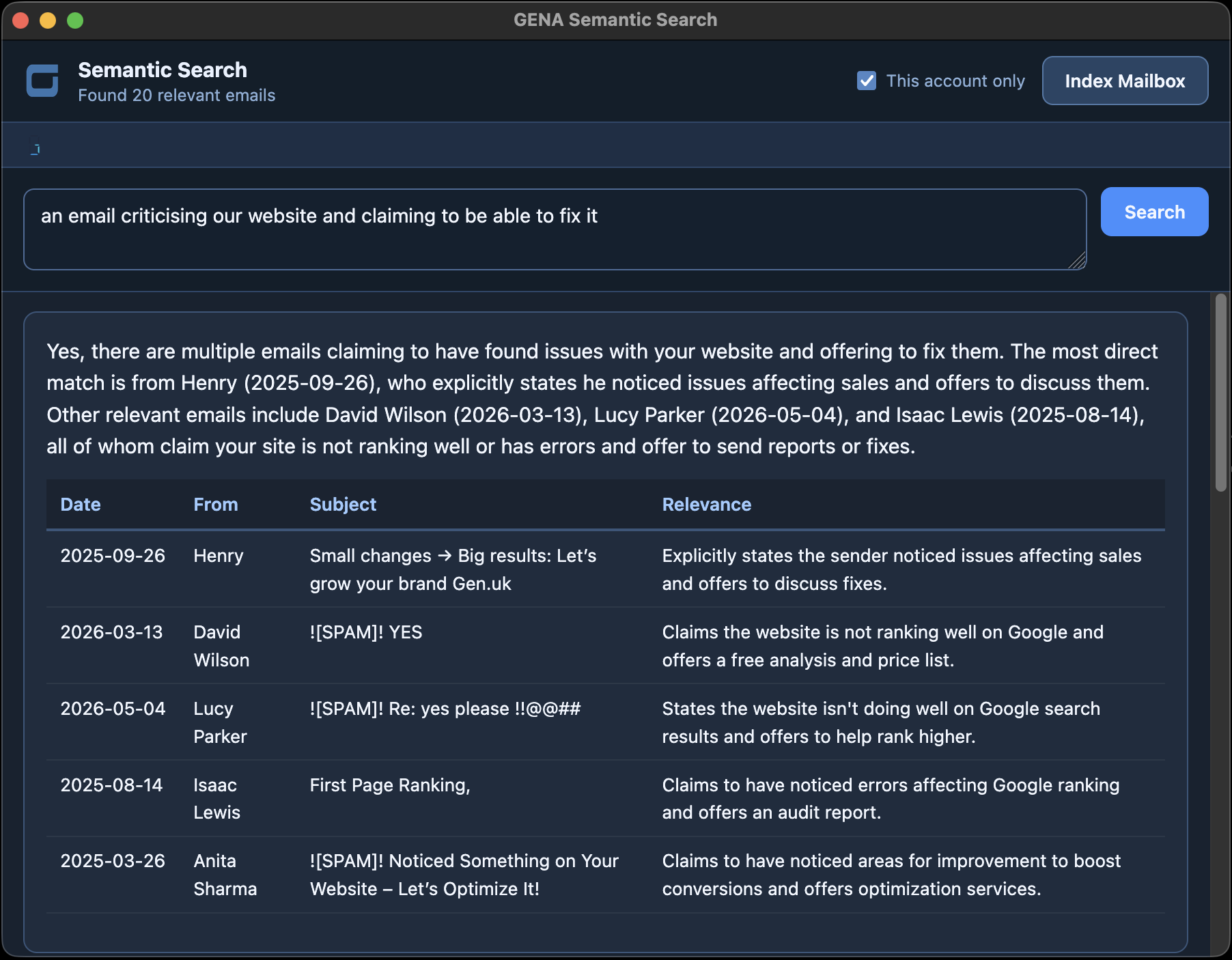
Semantic Search
Ask natural-language questions about your entire mailbox. GENA vectorises every email using an embedding model, stores them in Qdrant, and returns LLM-powered answers with supporting evidence.
Translate
Select text in the compose window and translate it into the language specified in your GENA configuration. Write in your native language and send in theirs.
Source Editor
Opens a full HTML source editor for the current message, giving you direct control over the underlying markup. Fix formatting issues or fine-tune your email at the code level.
Strip HTML
Select a section of an email and strip all HTML formatting, leaving clean plain text. Perfect for cleaning up the bloated markup that Outlook and other clients love to inject.
Type a % instruction, press GENA, and the instruction is replaced with generated content.
Before
After
Poorly written text transformed into clear, professional prose at the click of a button.
Before
After
Emails tagged automatically based on plain English rules you define.
A digest of what actually needs your attention, with noise filtered out.
Ask questions in plain English and get answers backed by evidence from your mailbox.
You type this
Dear Mr Blobby,

Thank you for your email.

%explain why using Microsoft for
email is insecure for a corporate
entity

If you have any questions,
please let me know.
Regards
Rich
Lines starting with % are treated as instructions to the LLM.
Press the GENA button and each instruction is replaced with generated content,
while the surrounding text is left untouched.
You can use multiple % lines in a single email — they're processed
in order. Draft complex emails by describing what each section should say.
Stop searching by keywords. Ask questions like “who wanted to buy water from us?” and get confident answers backed by evidence from your mailbox.
Index
GENA reads every email across all accounts, generates embedding vectors via Ollama, and stores them in Qdrant. New emails arriving via IMAP are indexed automatically. Deleted emails are pruned on the next scan.
Search
Your question is converted into a vector and matched against your mailbox by meaning, not keywords. Qdrant returns the most relevant emails across all accounts instantly.
Answer
The matching emails are sent to your LLM, which synthesises a direct answer with a supporting evidence table. Click any result to open the email in Thunderbird.
GENA doesn't hard-code a single AI provider. You configure the endpoint URL, HTTP headers, request JSON, and the response path to extract generated text. The same extension works with all of these:
Ollama
Local, private
vLLM
Self-hosted GPU
OpenAI
GPT-4o, GPT-4o-mini
Anthropic
Claude
LM Studio
Desktop LLM
Any OpenAI-compatible
Custom endpoints
Run a local model for complete privacy, or use a hosted service for maximum capability. GENA's template system gives you full control over what gets sent and how the response is parsed.
Define tagging criteria as simple, human-readable rules. GENA scans recent emails and applies your Thunderbird tags automatically.
Only tags you've defined can ever be applied — the LLM cannot invent new ones. Emails that already have tags are skipped. Marketing, spam, and automated notifications are filtered out by default.
Example Rules
Important: The email is urgent or
requires my immediate personal
attention or decision

To Do: A real person is directly
asking me to do something, reply,
confirm, or provide information

Appointment: The email requests or
confirms a specific meeting,
call, or appointment
Install directly into Thunderbird or Betterbird. No add-on store required.